Lumen
High-end fashion retail store with seamless checkout.


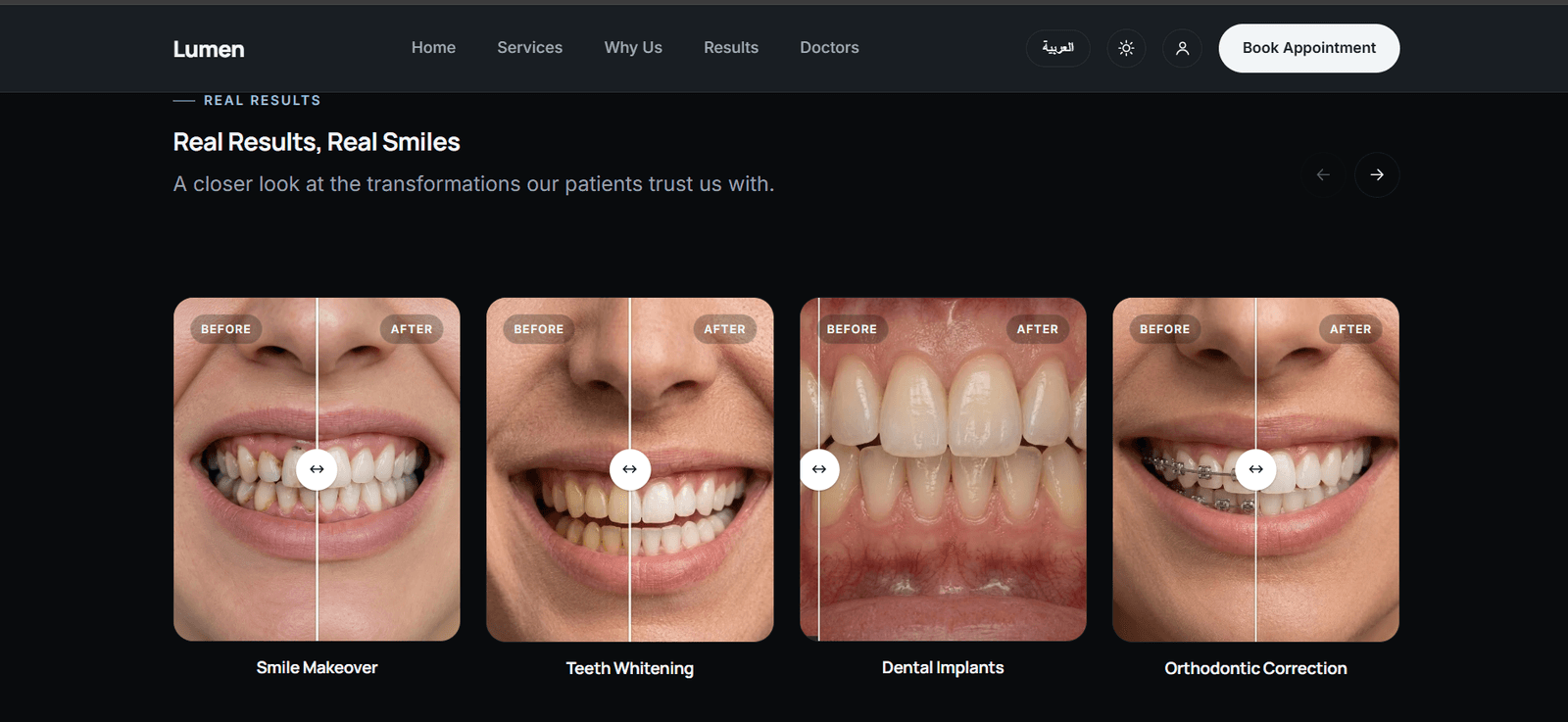
The Challenge
1. Difficulty Managing Appointments and Bookings
Relying on manual appointment management made it difficult to track bookings, modifications, and cancellations. With multiple patients and doctors, scheduling conflicts could occur, and identifying available time slots could become challenging.
2. Fragmented Patient Files and Medical Records
Keeping diagnoses, X-rays, laboratory tests, and prescriptions in separate files or systems made it difficult to access a patient's medical history and review previous visits, especially when patients returned for follow-up appointments.
3. Difficulty for Patients in Tracking Appointments and Personal Information
Patients might need to contact the clinic to check their appointments, review prescriptions, or access previous medical files. This increased their dependence on direct communication with clinic staff.
4. Difficulty Accessing a Complete Medical History During Appointments
Without a connected medical history readily available to the doctor, reviewing previous diagnoses, prescriptions, and patient-related files could become difficult before making treatment decisions.
5. Overlapping Responsibilities Between Doctors and Secretaries
Managing appointments and patient information without clearly defined responsibilities could lead to duplicated tasks and difficulties determining who was responsible for modifying bookings or following up on patient information.
6. Difficulty Tracking Payments and Financial Dues
Managing charges, payments, and installment plans separately made it difficult to identify recorded charges, paid amounts, and remaining balances, particularly as the number of patients and financial transactions increased.
7. Difficulty Evaluating Clinic Performance and Making Decisions
Relying on manual data collection made it slower and more difficult to generate appointment counts, review booking statuses, track patient activity, and analyze financial information.
8. Difficulty Sharing and Maintaining Medical Documents
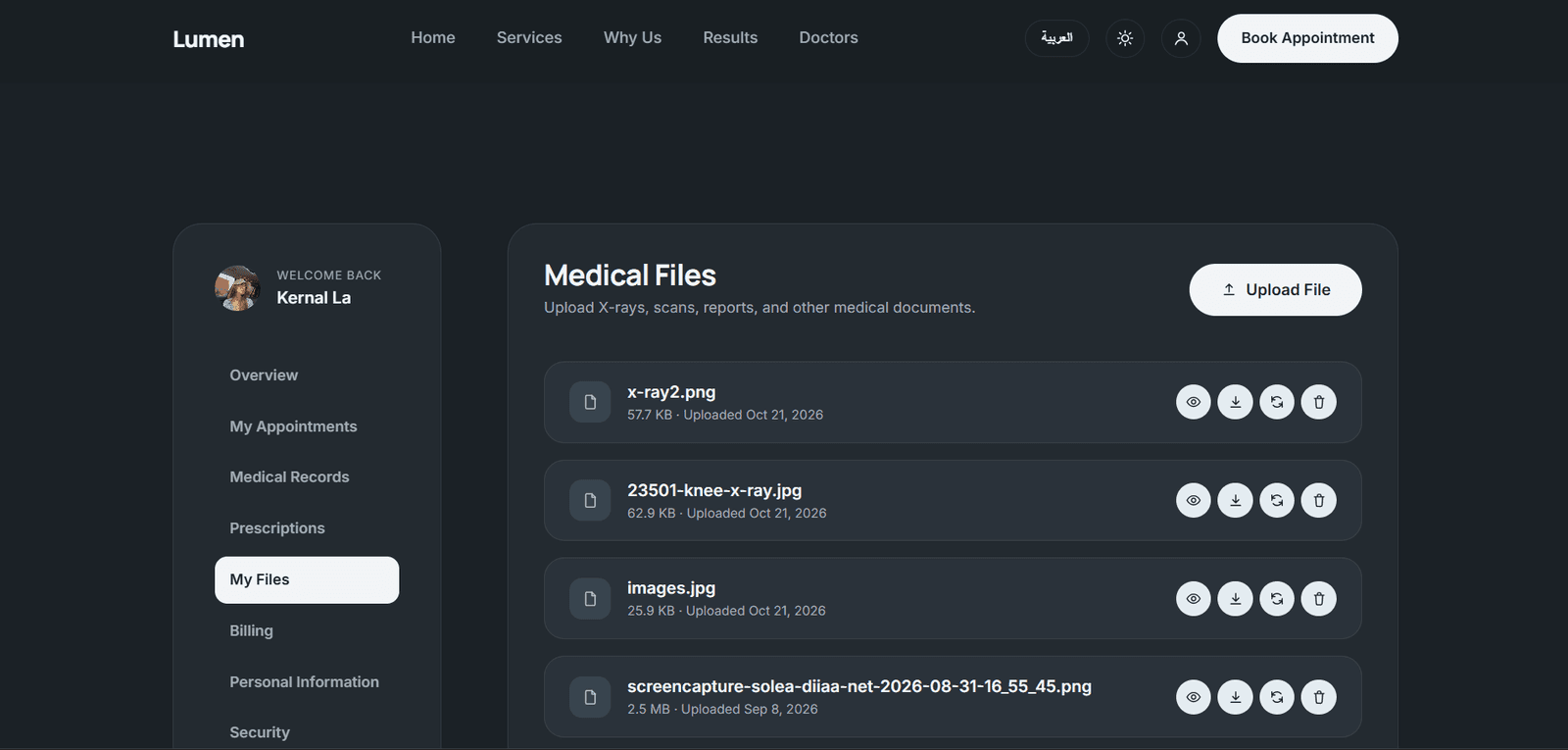
Patients needed to submit X-rays, laboratory tests, and medical reports, while doctors needed to access these documents later. This created challenges in organizing documents and linking them to the correct patient.
9. The Need to Protect Data and Control Access
Patients' medical, personal, and financial information requires clear rules defining who can view or modify it, particularly when multiple user roles operate within the same clinic.
Features
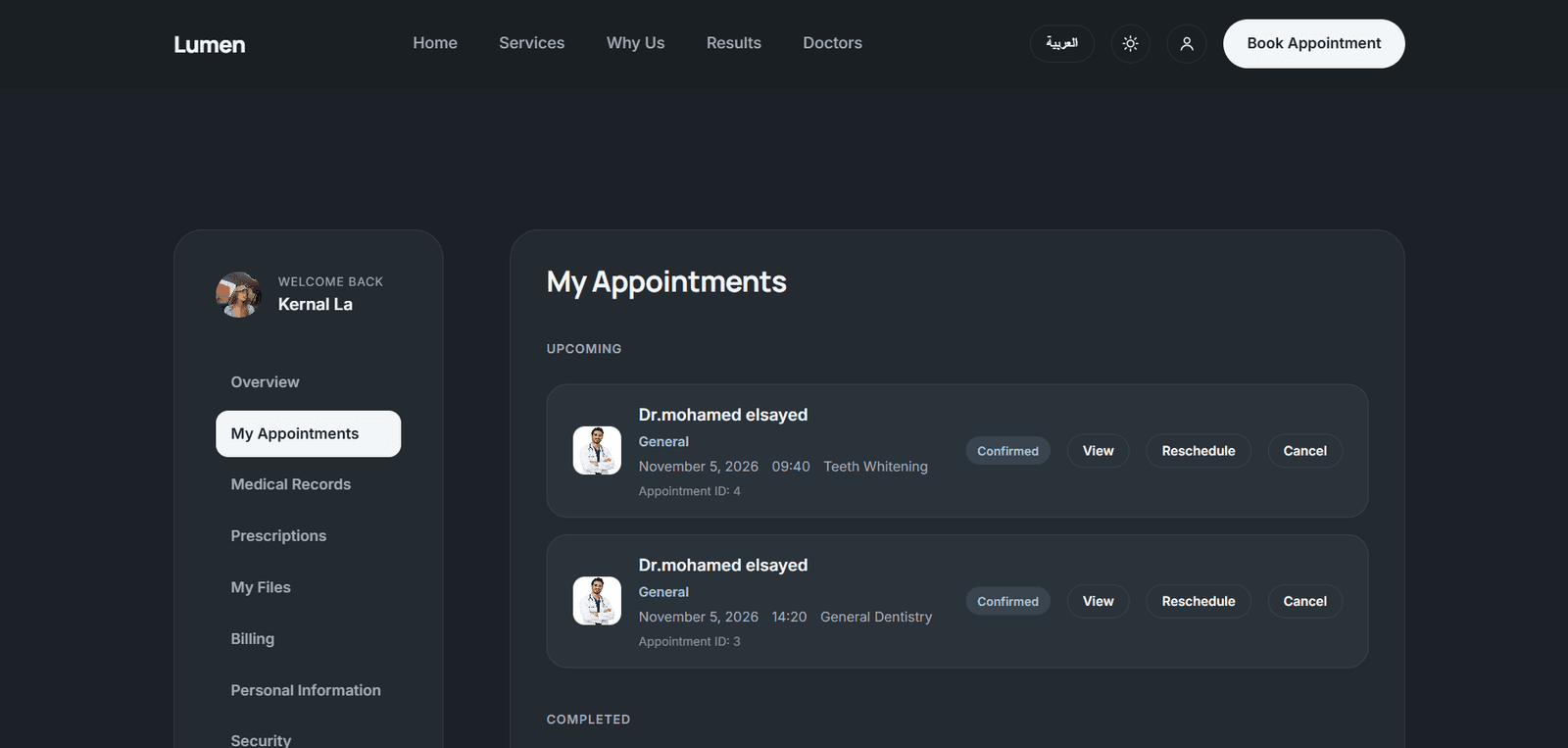
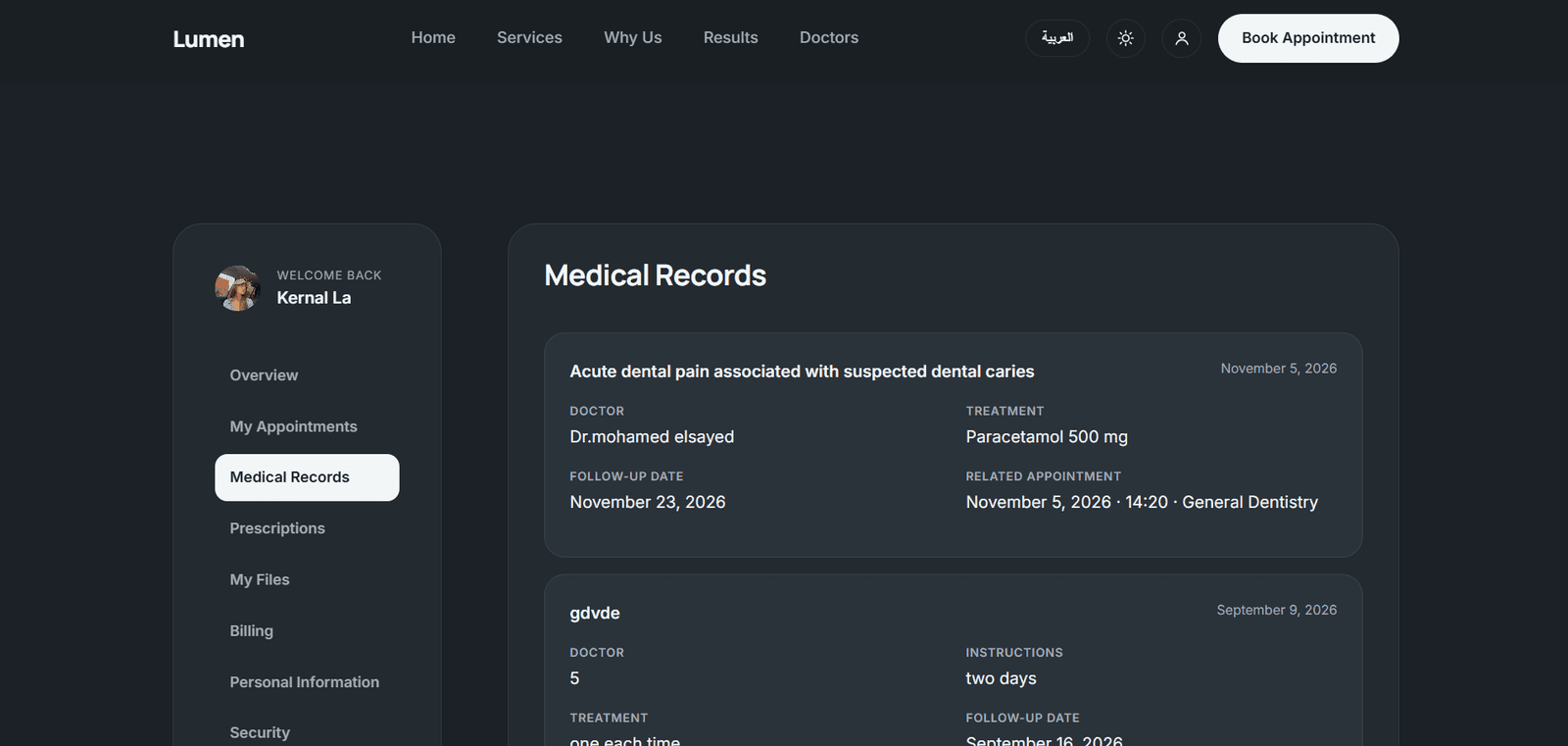
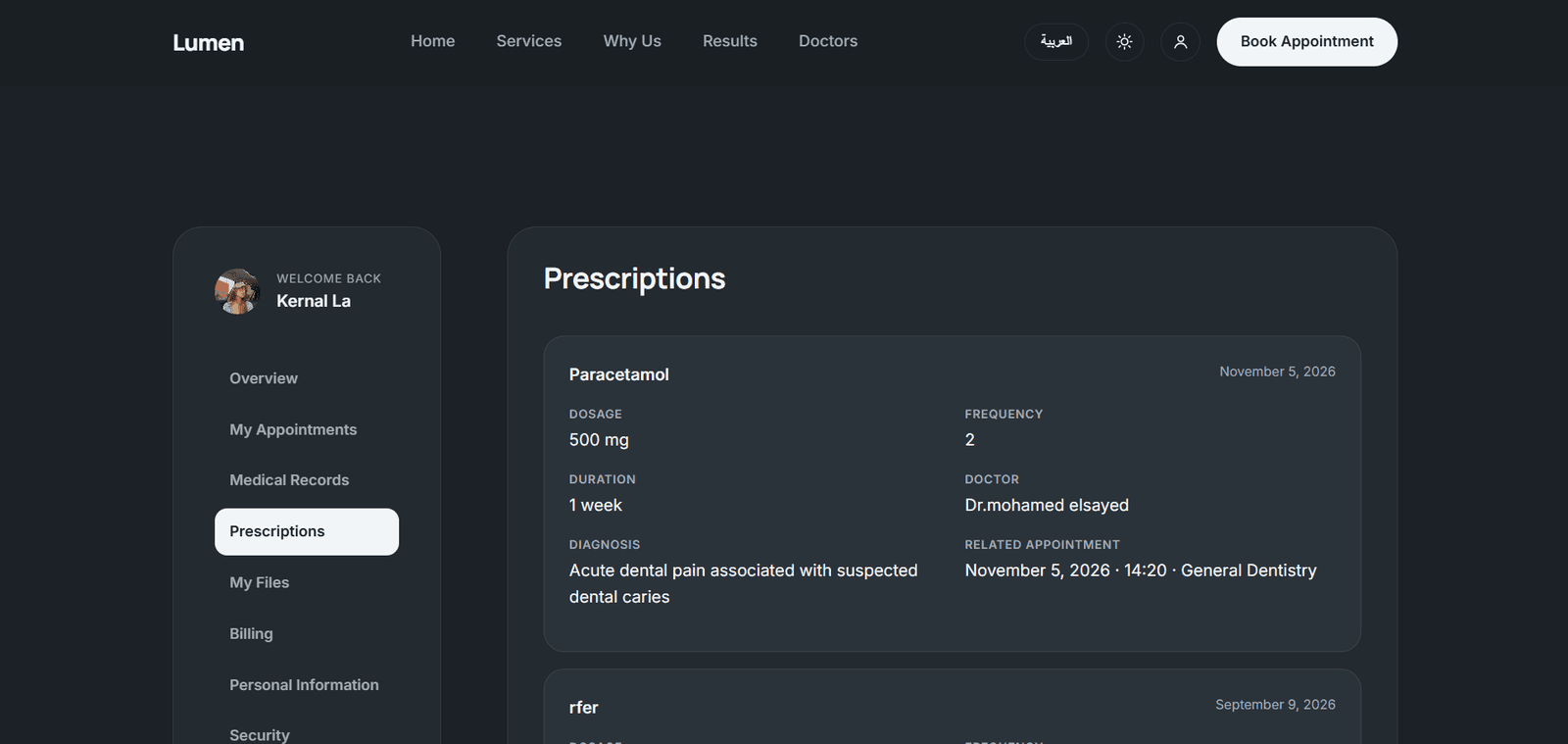
1. Patient Portal A personal account that enables patients to manage their clinic journey without relying entirely on direct communication with the reception staff. Account Registration and Login: Allows patients to access their accounts and view their personal and medical information. Appointment Booking: Enables patients to select suitable appointments based on the available time slots in the system. Booking Tracking: Allows patients to review their registered appointments and track their statuses. Medical Records: Provides access to diagnoses and prescriptions recorded in the patient's medical file. Medical File Uploads: Allows patients to attach X-rays, laboratory tests, and medical reports and link them to their medical records. Continuity of Information: Maintains previous medical information for reference during subsequent visits.
2. Appointment Booking System The booking system serves as the central link between patients, doctors, and secretaries. Online Booking: Allows appointments to be registered through the platform instead of relying solely on manual registration. Calendar: Displays and organizes appointments to help identify suitable booking times. Patient and Doctor Association: Stores the information of the patient and doctor associated with each appointment. Appointment Management: Enables secretaries to track, modify, or cancel bookings according to their permissions. Appointment Status Tracking: Records appointment statuses and uses them in schedules and reports. Preventing Scheduling Conflicts: Applies scheduling rules to prevent conflicting bookings while considering the required time interval specified in the system requirements. Booking Updates: Connects appointment changes to the records used by doctors and secretaries.
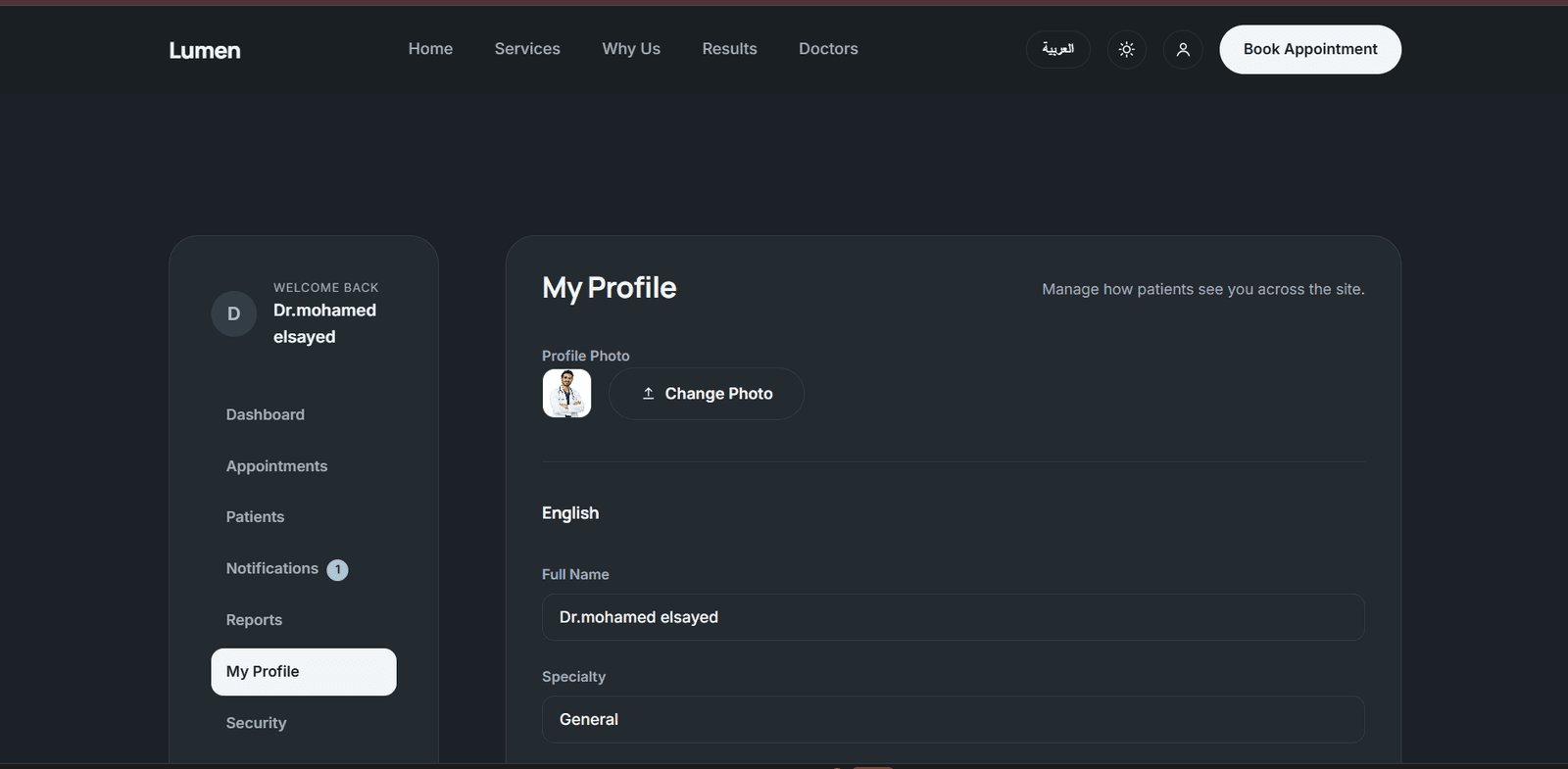
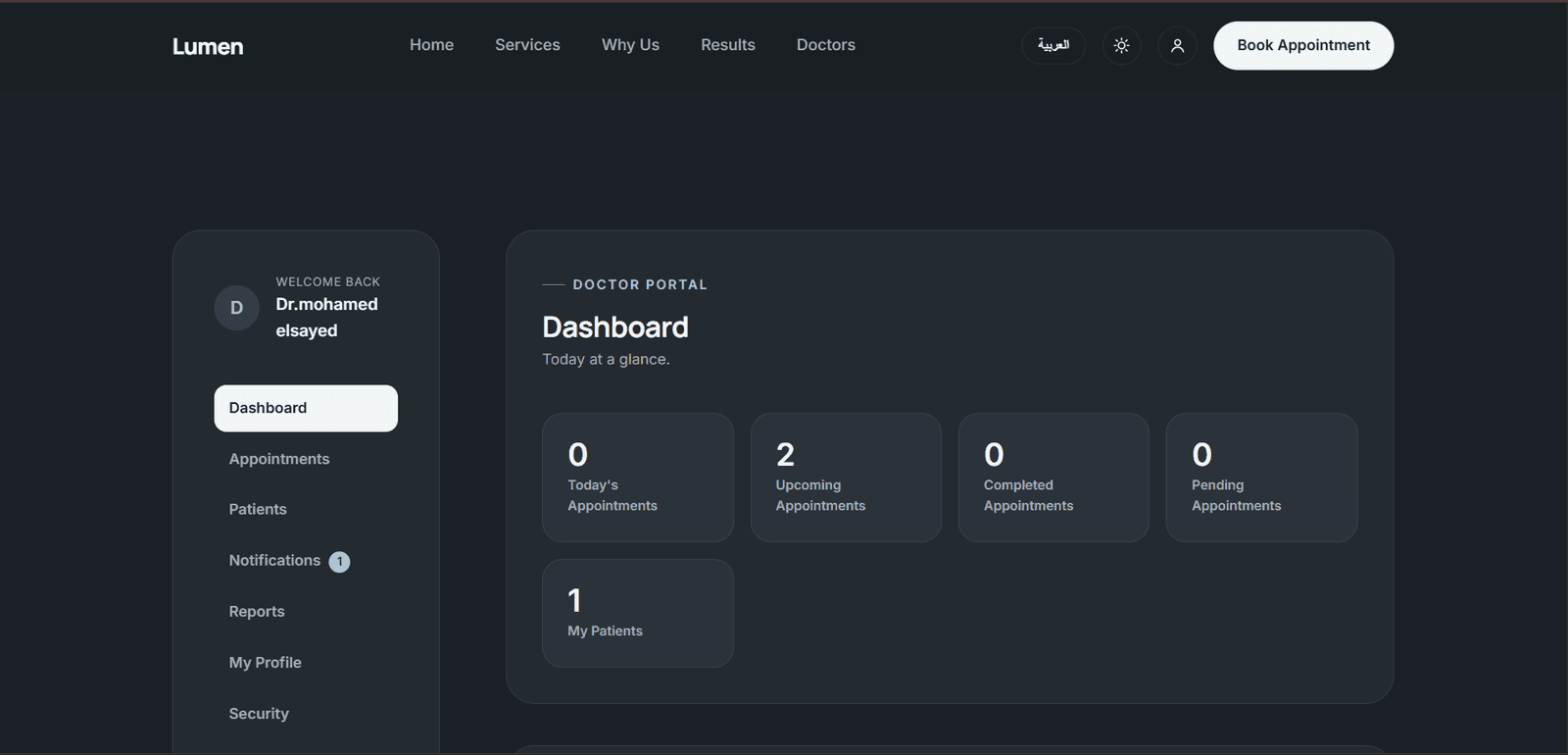
3. Doctor Portal A dedicated portal that enables doctors to manage their daily work and access relevant patient medical information. Doctor Dashboard: Displays information that helps doctors monitor appointments and daily activities. Appointments Page: Presents the appointment schedule in an organized format. Appointment Table: Allows doctors to review booking details and statuses. Filters: Enables appointment filtering to make specific bookings easier to find. Patient Files: Provides access to relevant patient information that the doctor is authorized to review. Diagnosis Recording: Allows doctors to add diagnoses to the patient's electronic medical record. Electronic Prescriptions: Enables doctors to create prescriptions and save them in the system. Medical History Review: Provides access to previous diagnoses, prescriptions, and uploaded files. Doctor Reports: Displays reports related to the doctor's appointments and patients over a specified period.
4. Secretary Portal A dedicated portal for organizing daily administrative operations and improving coordination between patients and doctors. Secretary Dashboard: Provides access to important administrative information. Appointment Management: Allows secretaries to view, track, modify, and cancel bookings according to their permissions. Clinic Schedule Management: Enables secretaries to monitor appointments and doctors' working schedules. Patient Management: Provides access to the patient information required for administrative tasks. Doctor Coordination: Supports tracking appointment changes and administrative actions related to the schedule. Financial Management: Allows authorized staff to manage charges, payments, and installment plans according to their assigned permissions. Secretary Reports: Provides insights into administrative activity, patient activity, appointments, and financial information.
5. Electronic Medical Records The electronic medical record is one of the system's core components, bringing together information related to each patient's treatment journey in one place. Diagnoses: Stores diagnoses recorded for each patient. Prescriptions: Maintains electronic prescriptions and makes them available for later review. Medical Files: Stores medical documents, X-rays, and uploaded la5. Electronic Medical Recordsboratory tests. Previous Visit History: Makes available information from previous visits easier to review. Data Relationships: Connects medical information to the patient's account and relevant appointments. Role-Based Access: Separates the information patients can access from the information doctors need when providing medical care.
6. Billing and Payments The system supports the organization of clinic-related financial data, allowing charges, payments, and installment plans to be recorded and reviewed. Charges: Maintains records of registered financial charges. Payments: Records and tracks payments associated with financial transactions. Installment Plans: Stores installment plans and allows their details to be reviewed. Installment Records: Tracks information associated with recorded installments. Financial Activity Review: Uses charges and payment records in financial reports. Net Activity for a Selected Period: Calculates the difference between charges and payments within the selected reporting period, rather than confusing period activity with the total outstanding balance across all time.
7. Notifications System Notifications support coordination between system users, particularly when appointment-related changes occur. Event-Related Notifications: Supports creating notifications associated with system actions. Appointment Change Tracking: Helps inform relevant parties about related changes according to the workflow. Doctor and Secretary Coordination: Supports tracking administrative actions that affect the doctor's schedule. System-Based Notifications: Connects notifications to recorded system events rather than relying solely on manual communication. Note: The specific delivery channels, such as email or SMS, have not been confirmed in the available implementation information.
8. Reports and Analytics Reports transform actual system data into information that can be reviewed and analyzed, rather than relying on static figures or demo data. Doctor Reports: Analyze appointments and patients associated with a doctor during the selected period. Secretary Reports: Provide a broader view of clinic activity, patients, appointments, and financial data. Date Range Filters: Allow users to select Today, This Week, This Month, or a Custom Range. Doctor Filter: Allows users to select a specific doctor when the filter is available in the Secretary Reports page. Appointment Status Filter: Enables filtering results by appointment status in Secretary Reports. Charts: Present selected metrics visually to make results easier to interpret. CSV Export: Exports data to a file that can be opened in spreadsheet applications and reviewed outside the system. Real Data: Uses system records to calculate metrics instead of relying on hardcoded values. New Patient Definition: In Doctor Reports, a patient is considered new to the doctor if this is their first interaction with that doctor. In Secretary Reports, a new patient is defined at the clinic level, meaning the patient is new to the clinic as a whole.
9. Authentication and Role-Based Access Control (RBAC) The system separates user types and provides each group with an interface and functions appropriate to its responsibilities. Login: Verifies user credentials before granting access to an account. Patient Account: Provides access to the patient's permitted personal information, appointments, and medical records. Doctor Account: Provides access to medical functions, appointments, and reports assigned to the doctor. Secretary Account: Provides access to administrative functions according to assigned permissions. Role-Based Permissions: Defines the functions and information available to each user group. Medical File Protection: Uses authentication and authorization mechanisms when accessing private files. Active Accounts: Includes an account activation status that helps control whether an account can be used.
10. Schedule and Working Hours Management Doctors' Working Schedules: Maintains working-hour information used to organize appointments. Available Time Organization: Connects booking availability to working schedules to reduce scheduling conflicts. Coordination Between Bookings and Schedules: Makes registered appointments available for monitoring through the Doctor and Secretary Portals. Schedule Updates: Supports the management of working-hour information according to user permissions and system workflows.
11. Technical Architecture and Data Integration Centralized Database: Stores user accounts, appointments, charges, payments, and medical records in the system's existing database. Real Data Integration: Important operations rely on the API and database rather than static demo data. Separation of Frontend and Backend Logic: Separates the user interface from the server-side logic responsible for managing data and operations. API Integration: Connects website operations to the backend responsible for authentication and record management. Medical File Management: Stores files in the application's storage system and serves them through dedicated routes instead of relying on unreliable direct file links. Maintainability: Organizes the system into components, interfaces, and routes responsible for different functions, making testing and future development easier.
Conclusion LUMEN is more than a simple informational website for a dental clinic. It is a system designed to manage the clinic's core operations, bringing together appointment booking, patient management, medical records, prescriptions, file uploads, Doctor and Secretary Portals, financial data, notifications, and reporting. The project's primary value lies in connecting these functions within a unified system, making patient information, appointments, administrative operations, and financial records more organized and easier to manage.